Our Offices
Bizerte/Tunis/Hammamet/Sousse
Email Us
info@intech-arena.com
Call Us
Bizerte: (+216) 28 822 182 | Tunis: (+216) 29 053 700
Hammamet: (+216) 29 380 398 | Sousse: (+216) 29 055 199
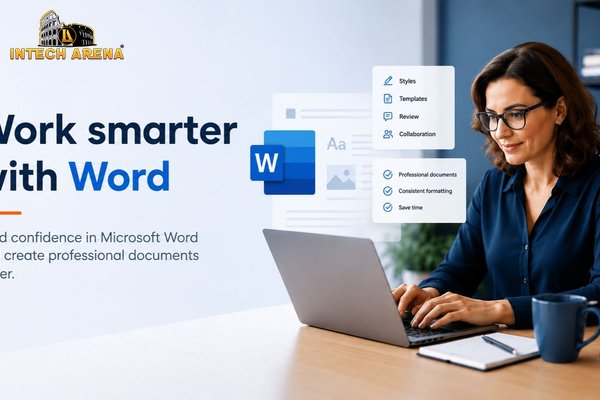
Microsoft Word 2016
Courses

Microsoft Word 2016

Word Processing

Category: Office Productivity

Certification:

Limited seats — 8 spots remaining at this price
49 students enrolled 4.8/5 rating

100% satisfaction guaranteed • Pay on-site or online

If you want to create professional, polished documents efficiently, mastering **Word 2016** is essential. Whether you’re drafting reports, preparing presentations, or managing large projects, knowing how to leverage the full capabilities of Microsoft Word 2016 can significantly boost your productivity. This comprehensive training guides you through every aspect of Word 2016, from basic formatting to advanced document management features.

This course covers all you need to become proficient in Microsoft Word 2016. You’ll learn how to design attractive documents, utilize powerful tools like styles and templates, and automate tasks with macros. While it is based on an older version, the skills you develop are highly relevant for current workflows, especially if your workplace still uses Word 2016. Our training offers practical, step-by-step instruction, making complex features accessible whether you’re a beginner or looking to deepen your expertise.

## What You Will Learn

By completing this Word 2016 training, you will gain the confidence to handle diverse document tasks efficiently. You will learn to:

* Navigate the Word 2016 interface and customize the workspace to suit your workflow.
* Create, save, and organize documents effectively using templates and styles.
* Apply formatting techniques to improve the appearance and readability of your documents.
* Insert and format images, tables, and SmartArt to enhance visual appeal.
* Utilize headers, footers, page numbers, and section breaks for professional document layout.
* Use mail merge to automate the process of sending personalized correspondence.
* Track changes and add comments for efficient collaboration and review.
* Create and manage long documents with table of contents, indexes, and cross-references.
* Automate repetitive tasks with macros to save time and reduce errors.
* Prepare documents for printing or digital distribution, ensuring they meet professional standards.

## Who This Course Is For

This training is ideal for anyone looking to improve their document creation skills with Microsoft Word 2016. It’s perfect for students, administrative professionals, project managers, writers, and entrepreneurs. Whether you’re new to Word or have some experience but want to explore its advanced features, this course will help you become more efficient and confident. No prior experience is required, but familiarity with basic computer skills will help you get started smoothly.

## Why These Skills Matter

Mastering Word 2016 equips you with a versatile skill set that employers highly value. It enhances your ability to produce professional documents quickly, collaborate effectively, and streamline workflows. Even if your organization is transitioning to newer versions, the core skills learned here are transferable and will serve as a solid foundation for working with other Office applications. Gaining expertise in Word 2016 can open doors to promotions, new job opportunities, and greater independence in managing your projects and communications.

1. Word 2016 Basic

1.1. Introduction To Word Interface Part1

1.2. Introduction To Word Interface Part2

1.3. Introduction To Word Interface Part3

1.4. View

1.5. Typing Part1

1.6. Typing Part2

1.7. Typing Part3

1.8. Typing Part4

1.9. Resume Part1

1.10. Resume Part2

1.11. Bullet List

2. Word 2016 Intermediate

2.1. Menus And Keyboard Shortcuts Part1

2.2. Menus And Keyboard Shortcuts Part2

2.3. Tabs

2.4. Tables Part1

2.5. Tables Part2

2.6. Tables Part3

2.7. Styles Part1

2.8. Styles Part2

2.9. Styles Part3

2.10. Page Formatting Part1

2.11. Page Formatting Part2

2.12. Page Formatting Part3

3. Word 2016 Advanced

3.1. Creating An Outline

3.2. Inserting Images Part1

3.3. Inserting Images Part2

3.4. Tracking Changes

3.5. Mail Merge Part1

3.6. Mail Merge Part2

3.7. Large Documents Part1

3.8. Large Documents Part2

3.9. Other Word Functions Part1

3.10. Other Word Functions Part2

3.11. Document Comparison

The Microsoft Word 2016 certification exam, typically associated with the Microsoft Office Specialist (MOS) certification, assesses your proficiency in creating, editing, and managing professional documents using Word 2016. The exam covers a broad range of topics designed to evaluate your practical skills in real-world scenarios.

Proficiency in Microsoft Word 2016 is a valuable asset in many professional settings. It enables you to create polished, professional documents efficiently, which can improve your productivity and the quality of your work. Many administrative, clerical, and project management roles require strong Word skills, and being certified can set you apart from other candidates.

Effective preparation for the Word 2016 MOS exam involves a combination of hands-on practice, review of exam objectives, and utilizing training resources such as courses, tutorials, and practice tests. Focus on understanding core functionalities like formatting, document management, and working with references, as these are heavily tested.

Yes, the fundamental skills acquired in this Word 2016 training are highly transferable to newer versions of Microsoft Word, such as Word 2019 and Microsoft 365. Basic document creation, formatting, and management techniques remain consistent across versions, making this training relevant even as software updates introduce new features.

To achieve proficiency in Word 2016, focus on advanced features such as working with styles and themes for consistent formatting, creating and managing long documents with table of contents, indexes, and cross-references. Additionally, mastering mail merge for bulk communication, using track changes and comments for collaboration, and automating repetitive tasks with macros are crucial skills.

Recommended Courses

Students who viewed this course also enrolled in:

🛡
CompTIA Security+

Master cybersecurity fundamentals

View Course
AWS Solutions Architect

Design cloud architectures

View Course
🖥
Cisco CCNA

Network fundamentals & routing

View Course
SUMMER OFFER — Get 30% OFF all courses! Use code: ARENA30 Explore Courses
Need help? Chat with us!