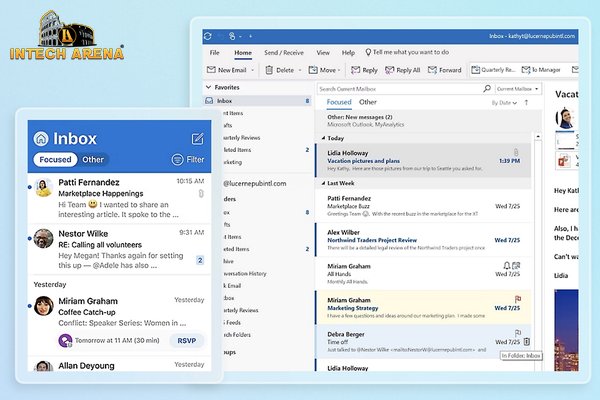
Microsoft Outlook 2016 Training: Course Description
Introduction to Outlook Mastery : Embark on a transformative journey with our Microsoft Outlook 2016 training. This course provides a deep dive into the essential features of Outlook, equipping you with the skills to manage emails, calendars, contacts, and tasks efficiently. Tailored for both beginners and experienced users, the training ensures a comprehensive understanding of Outlook’s powerful capabilities.
Structured Learning Path : Our curriculum is meticulously designed, beginning with the fundamentals of email management and gradually progressing to sophisticated techniques in calendar optimization and task management. Each module is crafted to build upon the previous, ensuring a seamless learning experience.
Practical Application : The course emphasizes real-world applications, offering practical exercises that mirror everyday scenarios. This hands-on approach not only enhances your learning experience but also prepares you to apply these skills effectively in your professional life.
Enhancing Productivity with Microsoft Outlook: Course Benefits
Skill Advancement : Completing this course will significantly enhance your proficiency in Outlook 2016. You’ll master organizing your emails, managing appointments, and keeping track of your tasks and contacts, which are crucial skills in today’s digital workspace.
Professional Development : This training is more than just learning software; it’s about elevating your professional capabilities. Efficient email and calendar management are key to staying organized and productive in any workplace, making these skills highly valued.
Certification and Credibility : Upon successful completion, you’ll receive a certificate, endorsing your expertise in Microsoft Outlook 2016. This certification not only adds value to your resume but also boosts your credibility in professional circles.
Who Should Undertake Microsoft Outlook Training: Target Audience
Broad Appeal : Whether you’re a student, an office professional, or someone looking to enhance personal productivity, this course is for you. It’s designed to cater to a wide range of users, from those new to Outlook to those seeking to refine their existing skills.
Career Enhancement : For professionals aiming to streamline their workflow and communication, this course is a valuable asset. It’s particularly beneficial for those in roles requiring efficient organization and communication.
Lifelong Learning : Our course encourages continuous personal and professional development. Mastering Outlook 2016 not only boosts your productivity but also enhances your overall ability to manage information and time effectively.
Outlook 2016 Basic
1. Introduction Part 1
2. Introduction Part 2
3. Options For Displaying Email Messages
4. Create And Send An Email
5. Receive An Email
6. Calendar Part 1
7. Calendar Part 2
8. Contacts Part 1
9. Contacts Part 2
10. Tasks
Outlook 2016 Intermediate
11. Folder Structure Part
12. Folder Structure Part 2
13. Multiple Email Accounts Part 1
14. Multiple Email Accounts Part 2
15. Create A New Email Part 1
16. Create A New Email Part 2
17. Signatures
18. Calendars Part 1
19. Calendars Part 2
20. Contacts
21. Outlook Settings Part 1
22. Outlook Settings Part 2
Outlook 2016 Advanced
23. One Note Introduction Part 1
24. One Note Introduction Part 2
25. One Note And PowerPoint
26. One Note And Word
27. One Note And Outlook
28. Sharing Information
29. OneNote And Mobile Devices
30. Additional Elements Part 1
31. Additional Elements Part 2
How do I set up my email account in Outlook?
To set up your email in Outlook, go to the ‘File’ tab, select ‘Add Account,’ and enter your email address. Follow the prompts to complete the setup.
Can I organize emails into folders in Outlook?
Yes, Outlook allows you to create custom folders. Right-click on your inbox or existing folder, select ‘New Folder,’ and name it as desired.
How do I use the calendar in Outlook?
Access the calendar via the calendar icon. You can add events by clicking on the desired date and time, and enter details like location and attendees.
Is it possible to set reminders for tasks in Outlook?
Absolutely. When creating a task, you can set a reminder by specifying a date and time in the task’s details.
Can I customize the appearance of Outlook?
Yes, Outlook offers various customization options. Go to ‘File,’ select ‘Options,’ and explore the ‘Mail’ tab for themes and layout settings.